

Why Most Online Stores Get SEO Wrong (And How to Fix It)
Here’s the thing about ecommerce SEO: it’s fundamentally different from blog SEO, local SEO, or any other type of search optimization you’ve encountered.
You’re not just competing for rankings. You’re fighting for visibility against Amazon, major retailers with massive budgets, and thousands of other online stores selling similar products. And if you’re doing what everyone else is doing, you’re already losing.
We’ve worked with dozens of online stores that came to us with the same problem: decent traffic but terrible conversion rates, or great products that nobody could find. The reality is that most ecommerce businesses either over-optimize for the wrong things or ignore critical technical issues that kill their organic search potential.
Let’s be honest: you can’t just slap some keywords into product titles and call it a day. Ecommerce SEO in 2026 requires a strategic approach that balances technical optimization, user experience, and conversion-focused content.
This guide breaks down everything we’ve learned helping ecommerce brands increase their online store visibility and organic search traffic. No fluff, no outdated tactics, just what actually works right now.
Understanding Ecommerce SEO (It’s Not What You Think)
SEO for ecommerce isn’t about ranking blog posts. It’s about getting your product pages and category pages to show up when people are ready to buy.
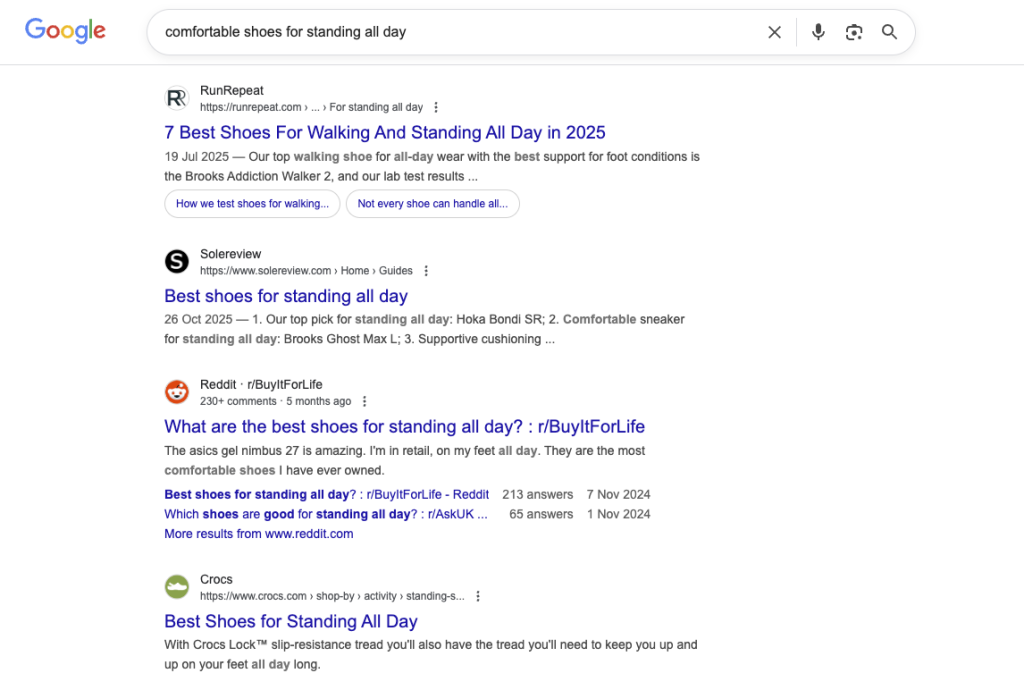
Think about it this way: when someone searches “comfortable shoes for standing all day,” they’re not looking for a 2,000-word blog post. They want to see products, compare prices, and make a purchase decision. That’s where your ecommerce site structure comes in.
The goal? Drive qualified traffic to pages that convert.
The Three Pillars of Ecommerce SEO Success
From what we’ve seen working with stores on Shopify, WooCommerce, BigCommerce, and Magento, successful ecommerce SEO strategy rests on three foundations:
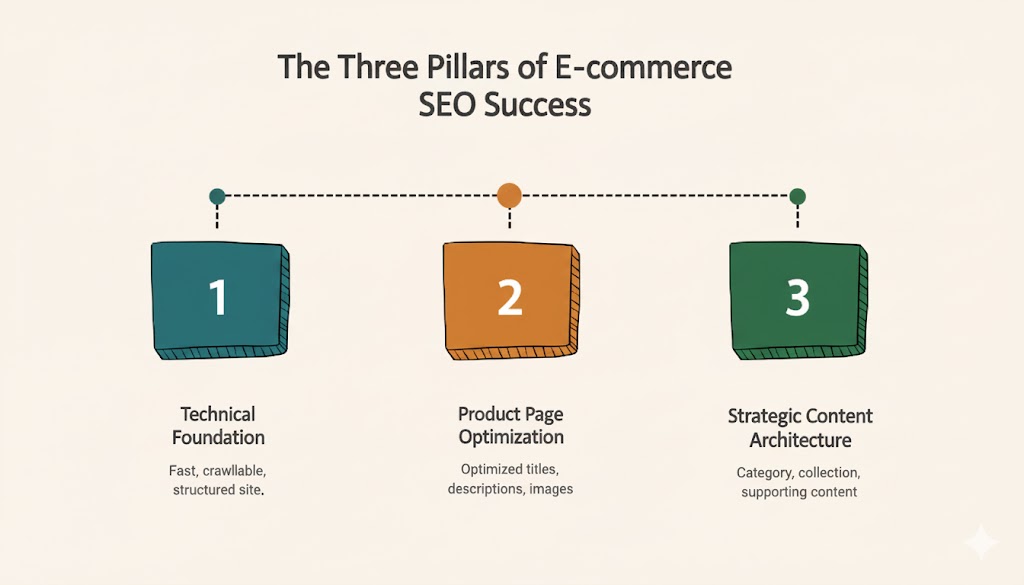
Technical Foundation – Your site needs to be fast, crawlable, and properly structured. Google can’t rank what it can’t index efficiently.
Product Page Optimization – Each product page should target specific search intent with optimized titles, descriptions, images, and schema markup.
Strategic Content Architecture – Category pages, collection pages, and supporting content need to capture different stages of the buyer journey.
Miss any one of these, and you’re leaving serious revenue on the table.
Technical SEO for Online Stores: The Unsexy Stuff That Matters Most
Let’s start with the foundation that most stores ignore until it’s too late.
Site Speed: Your Silent Conversion Killer
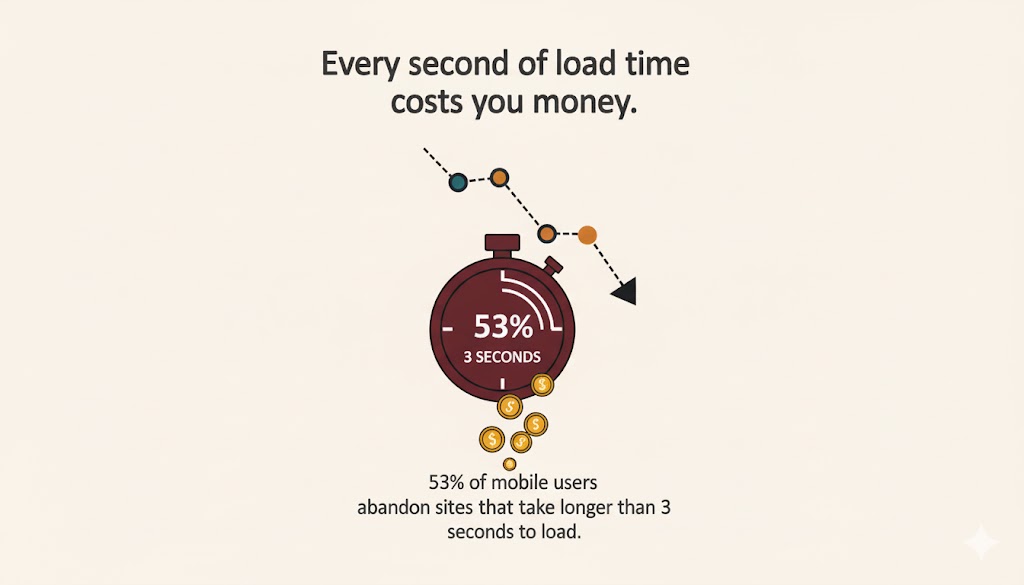
Here’s what we’ve learned: every second of load time costs you money. Google’s own research shows that 53% of mobile users abandon sites that take longer than three seconds to load.
For ecommerce website speed optimization, focus on these quick wins:
- Compress product images without sacrificing quality (we use WebP format and see 30-40% file size reductions)
- Enable lazy loading for images below the fold
- Minimize JavaScript and CSS files
- Use a Content Delivery Network (CDN) for faster global load times
- Implement browser caching
One DTC brand we partnered with reduced their load time from 4.2 seconds to 1.8 seconds and saw their conversion rate jump by 23%. Same traffic, same products, just faster.
Mobile Ecommerce SEO: Where Your Traffic Actually Comes From
Most ecommerce traffic is mobile. If your site isn’t optimized for smartphones, you’re basically closing your store to 60-70% of potential customers.
Mobile ecommerce SEO goes beyond responsive design:
- Test your checkout flow on actual mobile devices (not just Chrome’s device simulator)
- Use large, thumb-friendly buttons (minimum 44×44 pixels)
- Simplify forms and enable autofill
- Ensure product images zoom properly
- Make your mobile navigation intuitive—no one’s hunting through nested menus on a phone
Crawl Budget: Making Every Bot Visit Count
Here’s the truth most agencies won’t tell you: if you have thousands of product pages, Google isn’t crawling all of them regularly. And if it’s wasting time on low-value pages, your important product pages get ignored.
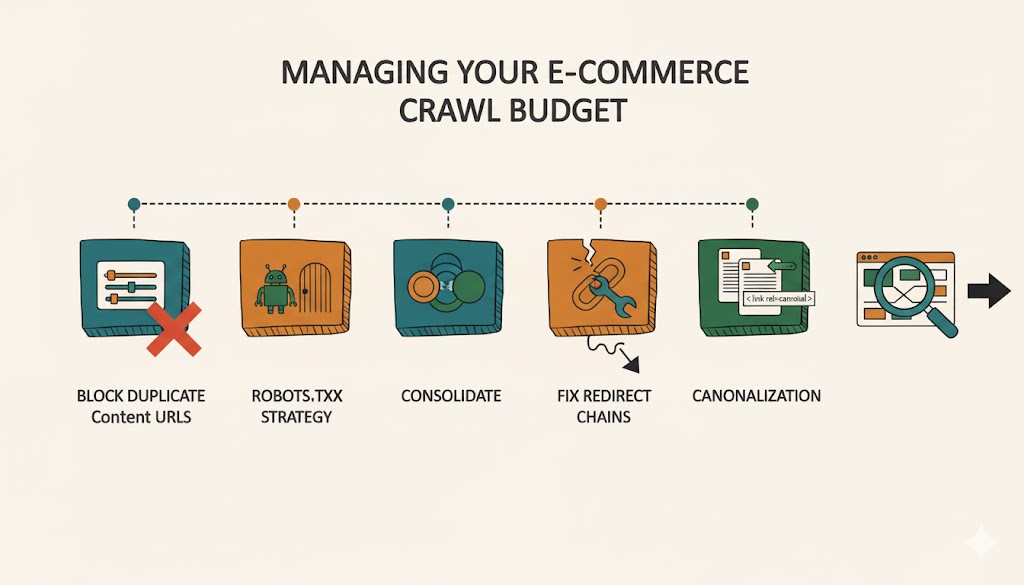
Managing your ecommerce crawl budget means:
- Blocking faceted navigation URLs that create duplicate content
- Using robots.txt strategically to prevent crawling of filtered pages
- Consolidating similar products instead of creating separate pages for every color/size variation
- Fixing redirect chains that waste crawl budget
- Setting up proper canonicalization for product variants
We helped a Shopify store with 15,000 SKUs cut their crawl waste by 60% just by fixing faceted navigation issues. Their high-priority pages started ranking within weeks.
The Duplicate Content Problem (And How to Solve It)
Duplicate content ecommerce issues kill rankings faster than almost anything else. And if you’re running an online store, you’ve definitely got this problem, even if you don’t know it yet.
Common culprits:
- Manufacturer product descriptions used by hundreds of other retailers
- Multiple URLs for the same product (with and without filters, sorted by price, etc.)
- Pagination creating duplicate title tags
- Products appearing in multiple categories
Our approach: rewrite product descriptions for your best-sellers (yes, it takes time, but the ROI is worth it), implement canonical tags correctly, and use parameter handling in Google Search Console to tell Google which URL variations matter.
Ecommerce Product Page Optimization: Where the Magic Happens
Your product pages are your moneymakers. Here’s how to optimize them without sounding like a robot wrote your descriptions.
Product Titles That Rank and Convert
Product page ranking starts with your titles. But here’s where it gets tricky: you need to balance SEO with readability.
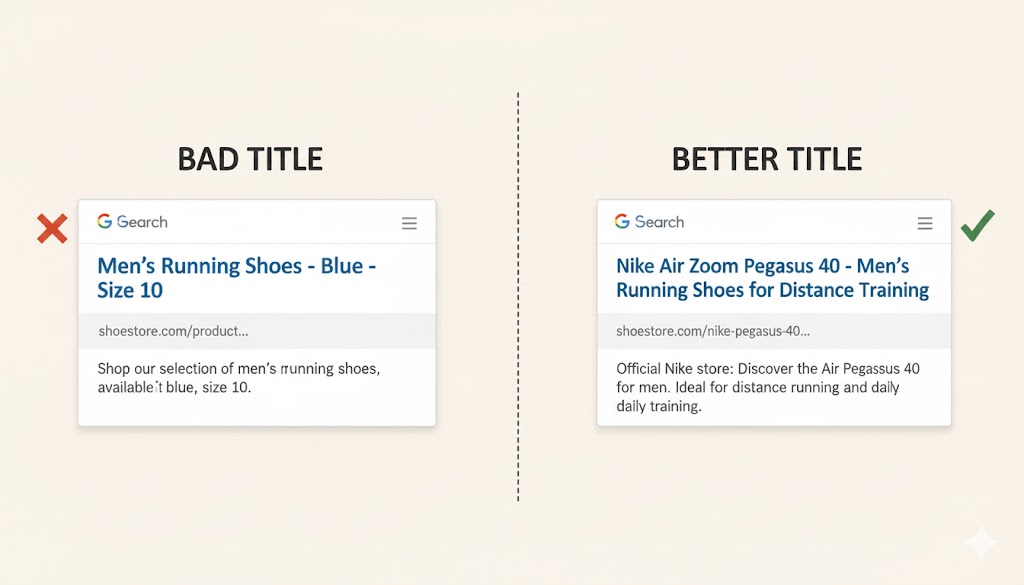
Bad title: “Men’s Running Shoes – Blue – Size 10”
Better title: “Nike Air Zoom Pegasus 40 – Men’s Running Shoes for Distance Training”
The second version includes the brand, product name, and relevant keywords people actually search for. It also tells searchers exactly what they’re getting.
Pro tip: Put your most important keywords at the beginning of the title. Google gives more weight to words that appear earlier.
Product Description SEO (Without Sounding Like a Robot)
Let’s be real: most product descriptions suck. They’re either copied from manufacturers or they’re so stuffed with keywords that nobody wants to read them.
Here’s what works in practice:
Above the fold: Brief, benefit-focused intro (2-3 sentences) that answers “why should I buy this?”
Feature bullets: Scannable list of key product details and specifications
Detailed description: Longer section covering use cases, materials, care instructions, and keyword-rich details
Social proof: Customer reviews, ratings, and user-generated content
For product description SEO, naturally incorporate long-tail keywords like “best [product] for [specific use case]” or “[product type] with [key feature].”
One of our clients increased organic traffic to their product pages by 47% just by rewriting their top 50 product descriptions with customer language instead of manufacturer jargon.
Product Schema Markup: The Competitive Edge
If you’re not using schema markup, you’re invisible in rich results. Period.
Product schema markup tells Google exactly what information to display: price, availability, reviews, and more. This gets you those eye-catching rich snippets that dominate the SERPs.
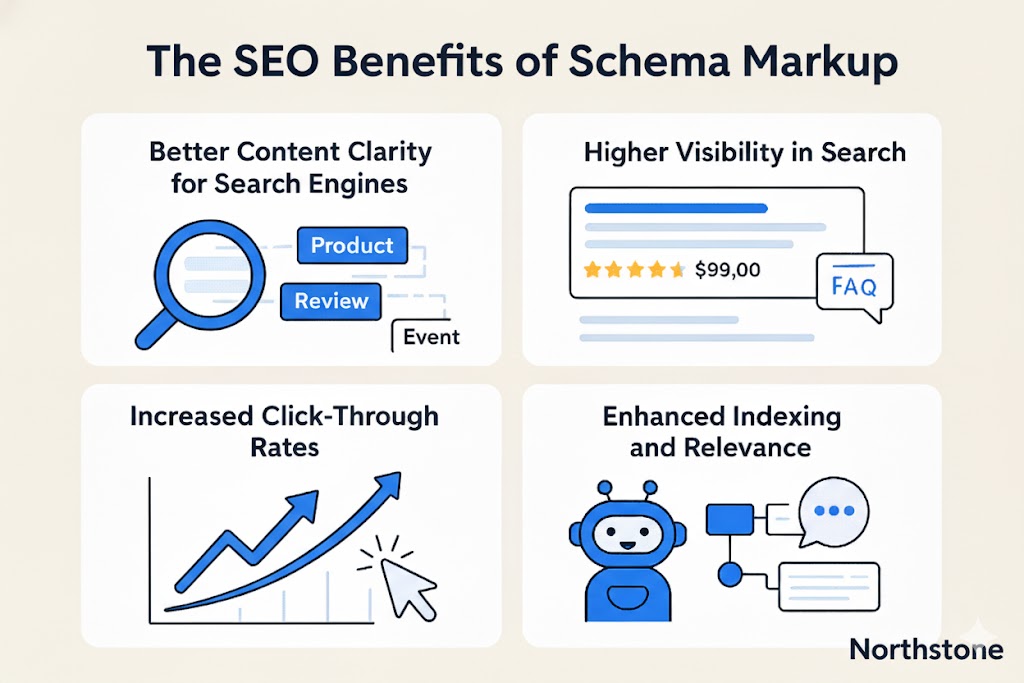
Implement these schema types:
- Product schema (price, availability, SKU)
- Review/Rating schema (those star ratings in search results)
- Breadcrumb schema (helps with navigation)
- Organization schema (builds brand authority)
The implementation varies by platform. Shopify stores can use apps like JSON-LD for SEO, while WooCommerce has plugins like Schema Pro. Just make sure your schema is valid using Google’s Rich Results Test.
Images: The Underutilized Ranking Factor
Product images don’t just help conversions—they’re a massive SEO opportunity that most stores completely ignore.
For every product image:
- Use descriptive file names before uploading (“navy-blue-mens-running-shoes.jpg” not “IMG_0847.jpg”)
- Write unique alt text that describes the image naturally
- Keep file sizes under 100KB without sacrificing visible quality
- Include multiple angles and lifestyle shots
- Enable image sitemaps so Google can discover all your product photos
Google Images drives more ecommerce traffic than people realize. We’ve seen stores get 15-20% of their organic traffic just from image search.
Optimize Product Listings for Category and Collection Pages
Your category pages should be ranking machines. They target broader, higher-volume keywords than individual product pages.
Category Page Optimization Strategy
Think of category pages as mini-landing pages. They need:
Optimized H1 tags: Use your target keyword naturally (“Women’s Running Shoes” not “Shop Women’s Running Shoes – Buy Now!”)
Intro content: 100-200 words above your product grid explaining what’s in the category and why someone would want it
Bottom content: Longer, keyword-rich content (300-500 words) below products covering FAQs, buying guides, and related keywords
Internal linking: Link to related categories, subcategories, and relevant blog content
The content shouldn’t feel forced. It’s there to help users make decisions and give Google context about what the page covers.
Handling Faceted Navigation SEO
Faceted navigation (filtering by color, size, price, etc.) is essential for user experience but creates massive SEO headaches. Every filter combination creates a new URL, leading to thousands of duplicate pages.
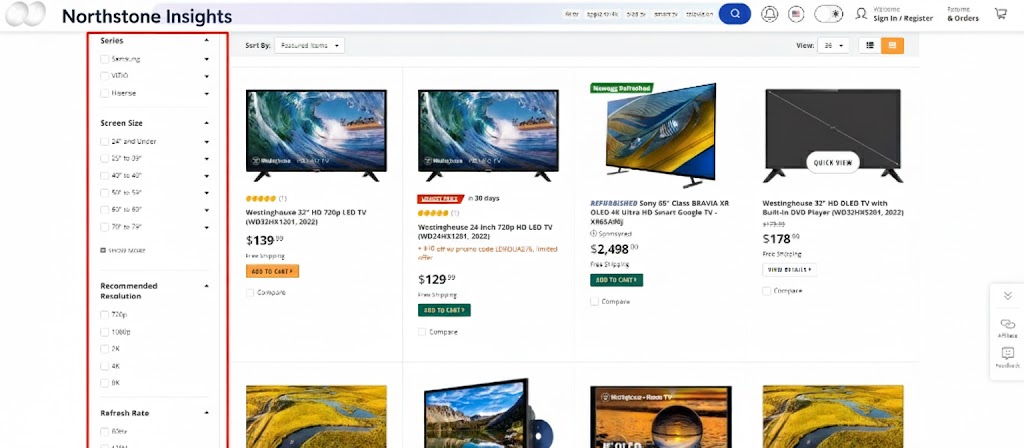
Solutions that actually work:
- Use AJAX for filters so they don’t create new URLs
- Implement canonical tags pointing to the main category page
- Block filtered URLs in robots.txt
- Use the noindex tag for filter combinations
- Set URL parameters correctly in Google Search Console
We’ve found that using a combination of these approaches works best. Pure AJAX filtering is great for SEO but can hurt usability, so find the balance that works for your store.
Dealing with Out of Stock Pages SEO
What do you do when products sell out? Delete the page and lose all your SEO equity, or keep it live and frustrate customers with unavailable products?
Neither.
Here’s our recommendation for out of stock pages SEO:
Temporarily out of stock: Keep the page live, mark it as out of stock in schema, and add an email notification signup. Keep the page indexable.
Discontinued products: If it’s gone forever, 301 redirect to a similar product or the parent category. Don’t just 404 it and lose that ranking power.
Seasonal products: Leave them indexed during off-season with clear information about when they’ll return.
One fashion retailer we work with keeps their out-of-stock pages indexed with “notify me when available” buttons. They capture thousands of emails this way and maintain their SEO rankings for when products restock.
Ecommerce Pagination SEO: The Right Way to Handle Large Catalogs
If you have hundreds of products in a category, pagination is inevitable. But it needs to be implemented correctly or Google gets confused about which page to rank.

Here’s what works:
- Implement “View All” pages for categories with fewer than 100 products
- Use rel=”prev” and rel=”next” tags (even though Google says they don’t use them anymore, they still provide context)
- Make sure paginated pages are crawlable (don’t noindex them)
- Use descriptive page titles for pagination (“Women’s Running Shoes – Page 2”)
- Include a self-referencing canonical tag on each paginated page
The goal is to help Google understand your pagination structure without creating duplicate content issues.
Building Your Ecommerce Site Structure for Maximum Visibility
Site architecture isn’t sexy, but it’s the difference between a store that ranks and one that doesn’t.
The Three-Click Rule
Every product should be accessible within three clicks from your homepage. This helps both users and search engines discover your products efficiently.
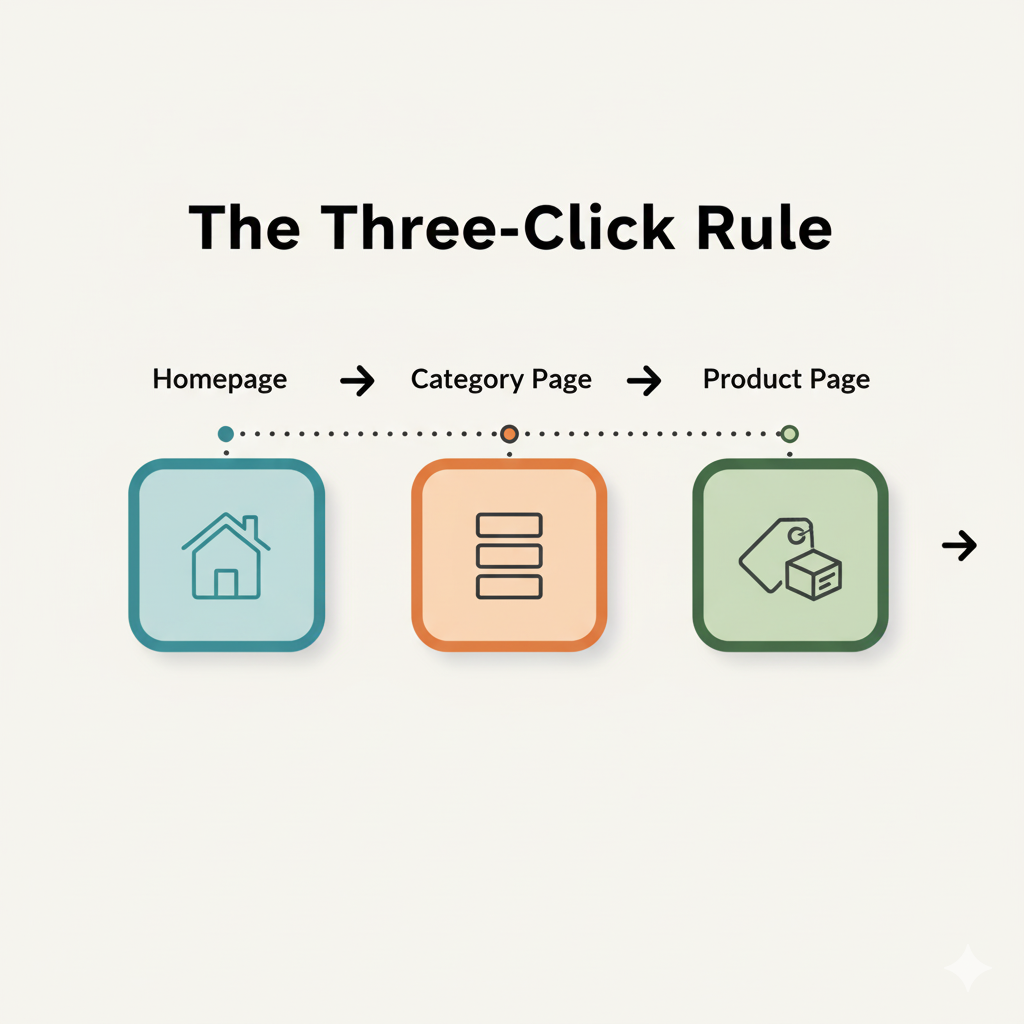
Structure should look like this:
Homepage → Category Page → Subcategory → Product Page
Or:
Homepage → Collection Page → Product Page
Flat is better than deep. Don’t create elaborate navigation hierarchies that bury products six levels deep.
Internal Linking Strategy
Internal linking is how you distribute page authority throughout your site and help Google understand which pages matter most.
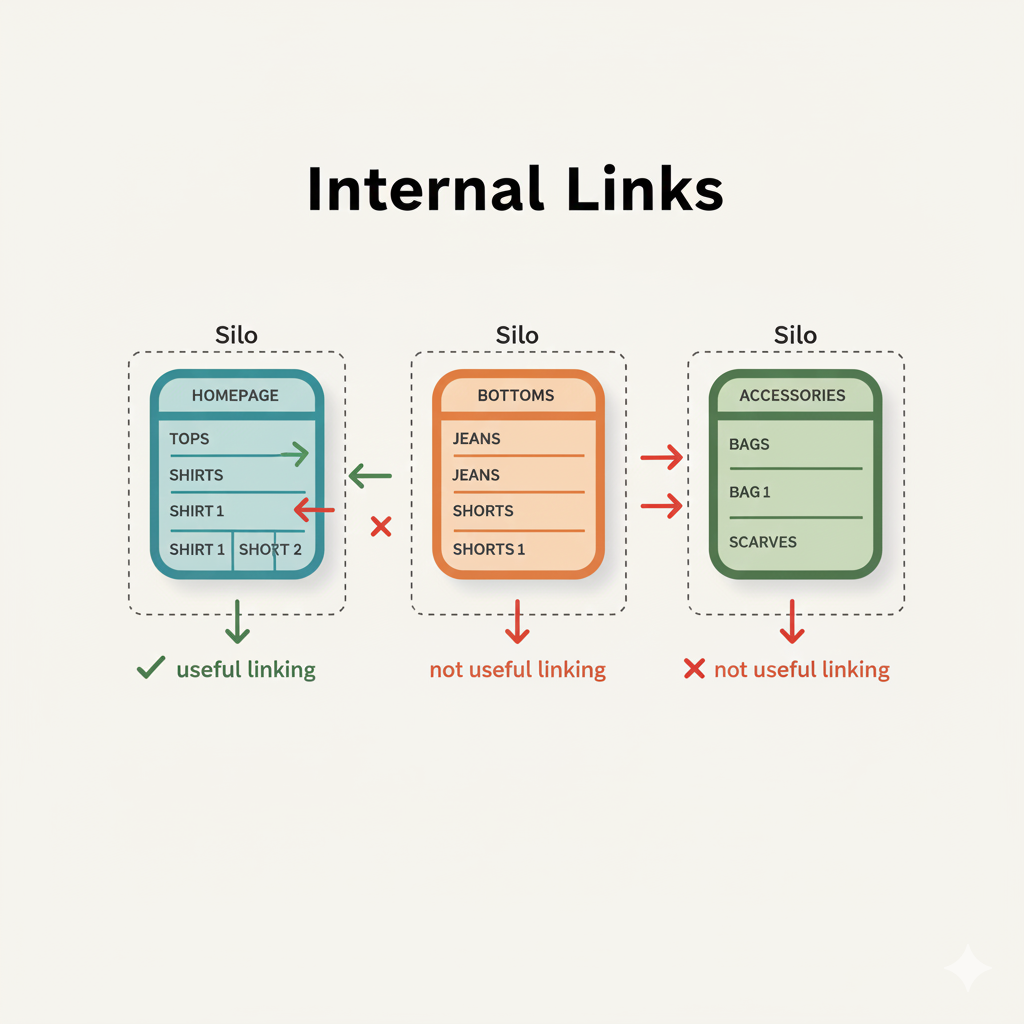
Our ecommerce SEO best practices for internal linking:
- Link from high-authority pages (like your homepage) to important category pages
- Use descriptive anchor text that includes target keywords
- Create “related products” and “you may also like” sections
- Link from blog content to relevant product and category pages
- Build topical clusters around product categories
The stores that get this right see 30-40% more organic traffic from improved crawling and page authority distribution.
Creating Content That Drives Ecommerce Organic Search
Beyond product and category pages, you need supporting content that captures different search intents.
Blog Content That Actually Converts
Most ecommerce blogs are graveyards, published once and forgotten. Here’s how to make yours actually drive revenue:
- Target informational keywords in your niche (“how to choose running shoes for flat feet”)
- Link aggressively to relevant product and category pages
- Include product comparisons and buying guides
- Update popular posts regularly to keep them ranking
- Track conversions from blog posts, not just traffic
One outdoor gear retailer we work with generates 22% of their organic revenue from blog content. But it’s strategic content targeting buyers in the research phase, not random posts about industry news.
Buying Guides and Comparison Pages
These pages capture high-intent traffic and establish your expertise. Target keywords like:
- “[Product type] buying guide”
- “Best [product] for [use case]”
- “[Product A] vs [Product B]”
- “How to choose [product category]”
These pages should be comprehensive, regularly updated, and include links to specific products you sell.
The Ecommerce SEO Checklist: What to Implement First
If you’re feeling overwhelmed (and you should be—this is a lot), here’s the priority order for implementation:
Month 1: Technical Foundation
- Fix site speed issues
- Implement proper mobile optimization
- Set up Google Search Console and fix critical errors
- Install analytics tracking
Month 2: Product Page Optimization
- Add product schema markup
- Optimize your top 50 product pages
- Improve product images and alt text
- Create unique product descriptions for best-sellers
Month 3: Category Pages & Structure
- Optimize category page content
- Fix faceted navigation and pagination issues
- Implement proper internal linking
- Handle out-of-stock pages correctly
Month 4+: Content & Scale
- Create buying guides and comparison content
- Build topical authority with blog content
- Expand to long-tail keywords
- Test and optimize based on data
This isn’t a one-and-done project. Ecommerce SEO requires ongoing optimization, testing, and adjustment.
Platform-Specific Considerations
What works on one platform might need adjustment on another.
Shopify SEO
Shopify is SEO-friendly out of the box, but has limitations. You can’t edit robots.txt freely, and URL structures are somewhat rigid. Focus on apps for schema markup and image optimization.
WooCommerce SEO
WooCommerce gives you more control but requires more technical setup. Use plugins like Yoast or Rank Math, and make sure your hosting is optimized for WooCommerce performance.
BigCommerce and Magento
These platforms offer more flexibility for large catalogs but have steeper learning curves. Take advantage of their advanced SEO features like custom URL structures and built-in schema support.
Common Ecommerce SEO Mistakes (And How to Avoid Them)
Let’s talk about what not to do. We’ve seen these mistakes cost stores tens of thousands in lost revenue:
Mistake 1: Ignoring technical SEO – You can’t optimize your way around a slow, broken site.
Mistake 2: Thin product descriptions – Five-bullet-point descriptions don’t cut it for competitive keywords.
Mistake 3: Poor mobile experience – If your mobile checkout is clunky, your SEO efforts are wasted.
Mistake 4: No schema markup – You’re giving your competitors a huge advantage in search results.
Mistake 5: Forgetting about crawl budget – Large catalogs need strategic crawl management.
Mistake 6: Keyword stuffing – Write for humans first, search engines second.
Mistake 7: Neglecting image optimization – Massive image files kill your speed and rankings.
Measuring Success: The Metrics That Matter
Track these KPIs to know if your ecommerce SEO best practices are actually working:
Organic traffic – Total sessions from organic search (broken down by page type)
Organic revenue – Sales attributed to organic traffic
Keyword rankings – Track positions for target keywords
Click-through rate (CTR) – How often people click your listings in search results
Pages indexed – Are your important pages getting crawled and indexed?
Core Web Vitals – Google’s technical performance metrics
Conversion rate – Traffic means nothing if it doesn’t convert
Set up goals in Google Analytics to track conversions by traffic source. This shows you exactly which SEO efforts drive revenue, not just vanity metrics.
The Bottom Line: Increase Online Store Visibility That Converts
SEO for ecommerce isn’t about gaming the algorithm. It’s about creating a fast, user-friendly shopping experience that makes it easy for customers to find what they need and for search engines to understand what you sell.
Start with the technical foundation, optimize your product pages strategically, and build supporting content that captures different stages of the buyer journey. Test everything, measure what matters, and keep optimizing.
The stores that win at ecommerce organic search are the ones that think long-term. You won’t see massive results overnight, but implement these strategies consistently and you’ll build a traffic engine that compounds over time.
Ready to optimize your online shop for Google? Start with the technical fixes, move to product optimization, and build from there. Your future self (and your revenue numbers) will thank you.
FAQ: Ecommerce SEO Questions Answered
How long does it take to see results from ecommerce SEO?
The reality is that ecommerce SEO takes 3-6 months to show meaningful results, sometimes longer for competitive niches. Quick wins like fixing technical errors or optimizing high-traffic pages can show improvements within 4-8 weeks, but building sustainable organic traffic requires patience and consistent effort. Focus on improving metrics month-over-month rather than expecting overnight success.
Should I create separate pages for every product variation?
Usually not. Creating individual pages for every color or size variation leads to duplicate content ecommerce issues and wastes crawl budget. Instead, use a single product page with variant selectors and implement proper schema markup to show availability for each variation. The exception is when variations have significantly different search demand (like “red running shoes” vs “blue running shoes”).
How do I optimize product listings for voice search?
Voice search optimization for ecommerce means targeting conversational, long-tail keywords and question phrases. Focus on natural language in your product descriptions, implement detailed FAQ schema on product pages, and optimize for local intent if you have physical locations. Phrases like “best [product] near me” or “where can I buy [product]” are increasingly important for voice and mobile search.
What’s the most important factor for product page ranking?
There’s no single factor, but if we had to prioritize, it’s the combination of unique, detailed product descriptions and strong technical SEO fundamentals. Your product pages need substantive content that differentiates them from competitors selling the same items, plus fast load times, proper schema markup, and quality backlinks. In our experience with online stores, this combination consistently outperforms tactics focused on just one element.
How often should I update my ecommerce SEO strategy?
Review and adjust quarterly at minimum. Monitor your rankings and traffic weekly, but make strategic changes quarterly based on performance data. Ecommerce SEO trends evolve, search algorithms update, and competitor strategies shift. Set aside time each quarter to audit your top-performing pages, identify new keyword opportunities, fix technical issues that have emerged, and test new optimization tactics. The stores that treat SEO as an ongoing process rather than a one-time project see the best long-term results.
This analysis is part of Northstone Insights‘ ongoing research into the evolving dynamics of e-commerce marketing and customer acquisition. Our reports combine data, strategy, and market intelligence to guide organizations toward higher ROI, conversion optimization, and brand authority. For tailored research, benchmarking, or strategic advisory support, contact the Northstone Insights team.


Leave a Comment